Digital vs Printed Passport Photo: Which Do You Need?
Passport and visa applications increasingly accept digital photos — but many still require a physical print. Submitting the wrong format will delay your application. Here's exactly when you need each.
When You Need a Printed Photo
| Application | Format needed |
|---|---|
| US passport (mail-in, DS-82) | Printed 2×2 inch |
| US passport (in-person, DS-11) | Printed 2×2 inch |
| US visa application at embassy | Usually printed (check embassy instructions) |
| UK passport (counter application) | Printed 35×45 mm |
| Canada passport (mail or in-person) | Printed 50×70 mm |
| Most embassy visa applications | Printed (size varies by country) |
| USCIS forms (I-485, I-130, etc.) | Printed 2×2 inch |
When You Can Submit a Digital Photo
| Application | Format needed |
|---|---|
| US passport online renewal (myPassport pilot) | Digital JPEG |
| UK passport online application | Digital JPEG |
| Australia online passport application | Digital upload |
| Canada eTA / online applications | Digital upload |
| Schengen visa via online portals | Digital (varies by consulate) |
| DV Lottery (Green Card) | Digital JPEG only |
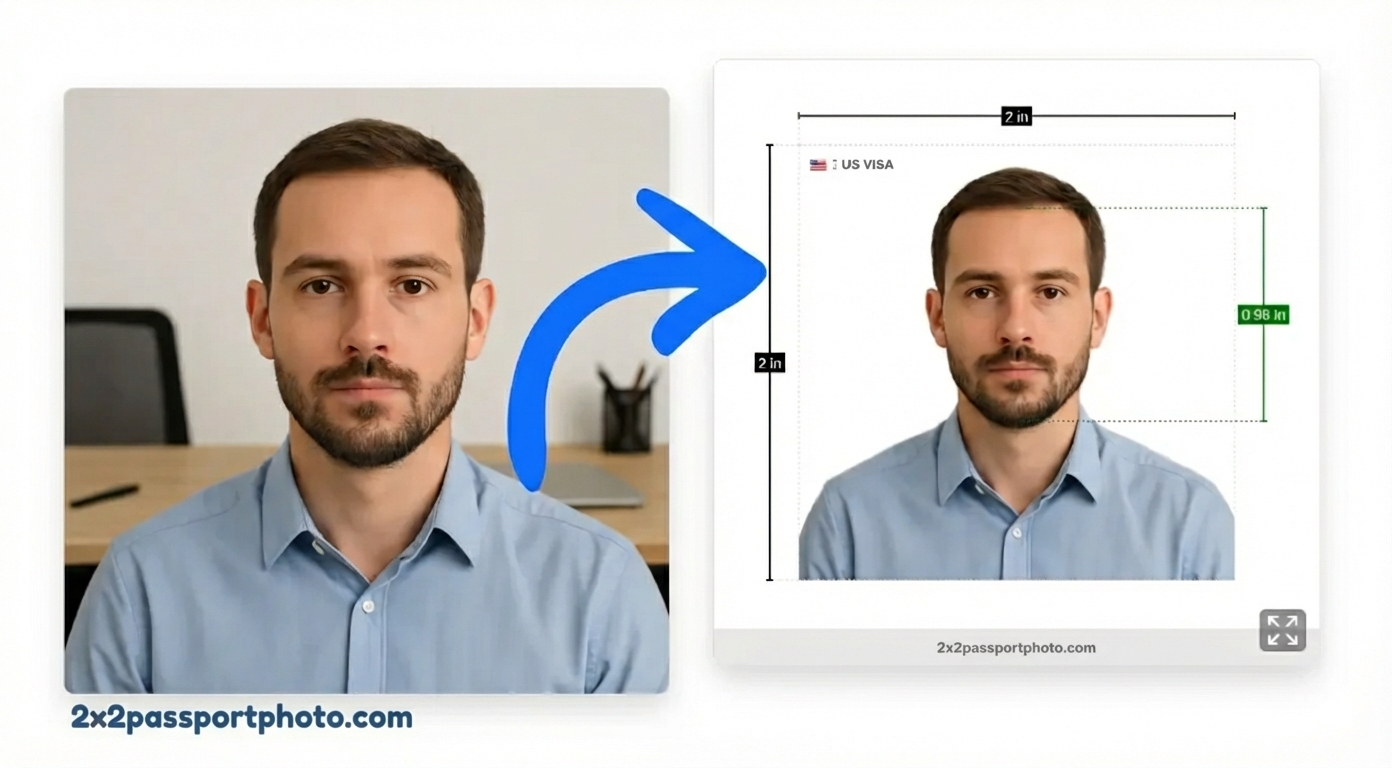
Digital Photo Specifications (US State Department)
For online US passport applications:
- Format: JPEG (.jpg)
- Dimensions: Minimum 600×600 px, maximum 1200×1200 px
- File size: Under 240 KB
- Color: Full color (no black & white)
- Background: White or off-white
- Face: Must occupy 50–69% of the frame height
Digital Photo Specifications (UK HMPO)
For online UK passport applications:
- Format: JPEG (.jpg)
- File size: Minimum 50 KB, maximum 10 MB
- Dimensions: At least 600×750 px (portrait orientation)
- Background: Light grey or cream
- Color: Full color
Printed Photo Specifications (US)
- Size: 2×2 inches (51×51 mm)
- Paper: Matte or glossy photo paper
- DPI: At least 300 dpi
- Print quality: Sharp, in focus, no pixelation
- No digital alterations beyond background and cropping
How Our Tool Handles Both Formats
When you use our passport photo tool, you can choose your output:
- Print-ready file — a 4×6 inch sheet with multiple 2×2 photos arranged for home or store printing
- Digital single photo — a properly sized and formatted JPEG ready to upload to online application portals
Both outputs are compliant with the same photo standards. The difference is only in how the file is packaged.
Can I Use a Phone Screenshot of My Photo?
No. Screenshots introduce compression artifacts, wrong file format metadata, and often incorrect dimensions. Always export directly from the photo tool as a proper JPEG.
Tips for Getting It Right
- Check the application form first — it will specify "digital photo" or "printed photo" and the exact requirements
- For digital: Double-check file size and pixel dimensions before uploading — many portals reject oversized or undersized files
- For printed: Use 4×6 inch photo paper at 300 DPI, cut to exact size
- When in doubt: Create both — our tool lets you download a digital file and a print-ready sheet from the same photo