Why Passport Photos Get Rejected
Understanding why passport photos get rejected can save you time and money. Here are the most common reasons and how to fix them.
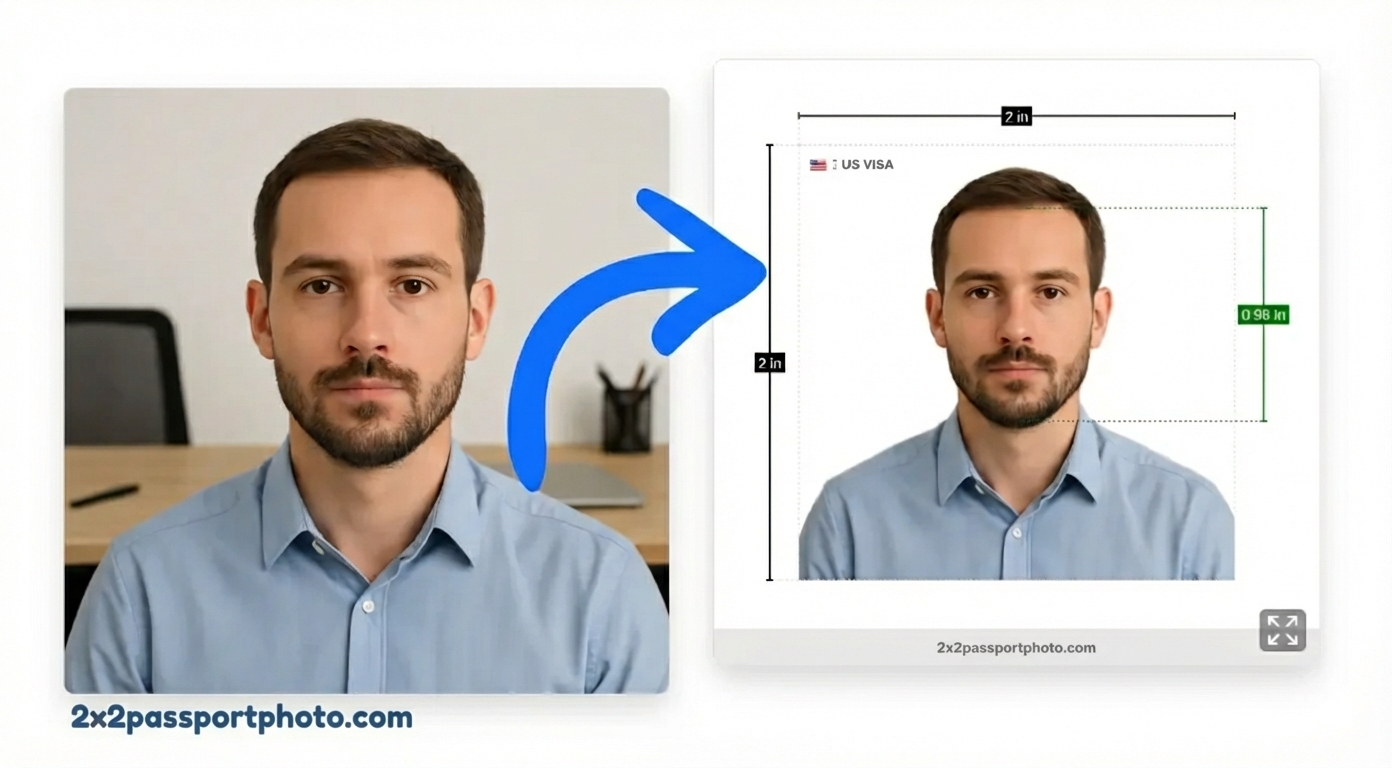
1. Wrong Photo Size
Problem: Photo is not exactly 2×2 inches (or required size)
Fix: Use our tool to crop to exact dimensions
Prevention: Always verify size before printing
2. Incorrect Background
Problem: Background is not plain white, has shadows, or patterns
Fix: Use our background removal tool
Prevention: Take photo against plain white wall
3. Wrong Head Size
Problem: Head is too large or too small in the photo
Fix: Use face alignment guides in our tool
Prevention: Follow head size requirements (1 to 1 3/8 inches for US)
4. Poor Photo Quality
Problem: Photo is blurry, pixelated, or low resolution
Fix: Take a new photo with better camera/lighting
Prevention: Use high-resolution camera (at least 600×600 pixels at 300 DPI)
5. Wrong Expression
Problem: Smiling, frowning, or unusual expression
Fix: Take new photo with neutral expression
Prevention: Follow expression guidelines (neutral, eyes open)
6. Glasses Issues
Problem: Glare, tinted lenses, or frames covering eyes
Fix: Remove glasses or ensure no glare
Prevention: Take photo without glasses if possible, or ensure no reflections
7. Head Coverings
Problem: Non-religious head coverings or hats
Fix: Remove head covering (unless for religious purposes)
Prevention: Check if head covering is allowed for your document type
8. Shadows on Face or Background
Problem: Uneven lighting creates shadows
Fix: Retake photo with even lighting
Prevention: Use natural light or even artificial lighting
9. Photo Too Old
Problem: Photo was taken more than 6 months ago
Fix: Take a new, recent photo
Prevention: Always use recent photos (within 6 months)
10. Digital Alterations
Problem: Photo has been heavily edited or filtered
Fix: Use minimal editing (only background removal and cropping)
Prevention: Avoid filters, beauty modes, or heavy editing
How to Avoid Rejection
- Use our tool: Automatically ensures compliance
- Check requirements: Review all rules before taking photo
- Take multiple shots: Choose the best one
- Verify before printing: Double-check all requirements
- Get expert review: Our tool includes expert verification
What to Do If Your Photo Is Rejected
- Identify the issue: Review rejection reason
- Fix the problem: Use our tool to correct issues
- Retake if needed: Sometimes a new photo is best
- Resubmit: Once fixed, resubmit your application
Tips for Success
- Always use our compliance checker
- Follow all requirements exactly
- When in doubt, retake the photo
- Use high-quality equipment
- Check requirements for your specific document type
By understanding these common issues, you can create a passport photo that will be accepted on the first try.