How to Print Passport Size Photos at Home
Printing passport photos at home can save you time and money. Here's everything you need to know about printing 2×2 passport size photos yourself — whether you have an HP, Canon, Epson, or any other printer.
What You'll Need
- A color printer (inkjet or laser)
- Photo paper, 4×6 inches (not regular paper — see why below)
- Your digital passport photo file (2×2 inches, 600×600 px at 300 DPI)
- Scissors or a paper cutter
- A ruler for precise cutting
Step 1: Prepare Your Photo
Before printing, make sure your photo:
- Is exactly 2×2 inches (600×600 pixels at 300 DPI)
- Has a pure white background
- Meets all passport requirements
- Is saved in high quality (JPG or PNG)
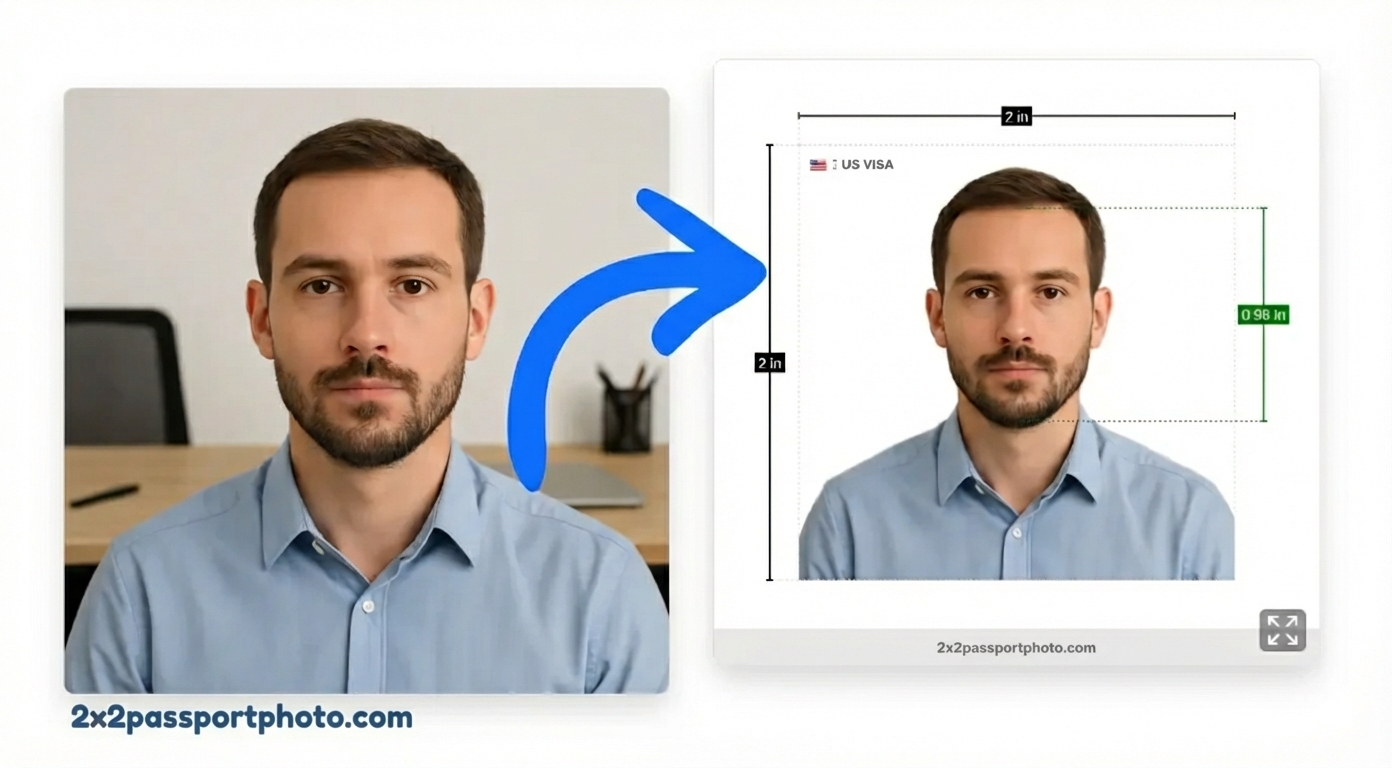
Step 2: How to Print Passport Photos on 4×6 Paper
The standard way to print passport photos at home is on a 4×6 inch sheet. You can fit 4 passport photos on one sheet:
- Download the 4×6 print sheet from our tool (it arranges your photos automatically)
- Load 4×6 photo paper into your printer's photo tray
- Set your print size to 4×6 inches — do not scale or fit-to-page
- Print and cut each 2×2 photo with scissors or a paper cutter
Most photo labs (Walgreens, CVS, Walmart) also accept 4×6 files, so the same file works for home or store printing.
Step 3: How to Print Passport Photos on HP Printer
HP inkjet printers (HP ENVY, HP OfficeJet, HP DeskJet) work well for passport photos. Here's the setup:
- Open your 4×6 print sheet in Windows Photos or HP Smart app
- Click Print → select your HP printer
- Set Paper size to 4×6 in
- Set Paper type to HP Premium Plus Photo Paper or Photo Paper
- Set Print quality to Best
- Uncheck "Fit to page" — the image should print at its exact size
- Click Print
Tip: The HP Smart app (free, Windows/Mac/iOS/Android) has a dedicated photo print mode that handles DPI automatically.
Step 4: How to Print a 2×2 Passport Photo on Mac
On a Mac, the easiest method uses the built-in Preview app:
- Open your 4×6 print sheet in Preview
- Go to File → Print (⌘P)
- Click Show Details
- Set Paper Size to 4×6 (add it in Page Setup if not listed)
- Set Scale to 100% — do not auto-scale
- Under printer options, choose Photo paper type and High Quality
- Click Print
For Canon or Epson printers on Mac, the paper type option appears in the dropdown that says "Preview" in the print dialog — switch it to your printer's media settings.
Step 5: Printer Settings (Any Printer)
Regardless of brand, these settings apply:
| Setting | Value |
|---|---|
| Paper type | Photo Paper (glossy or matte) |
| Print quality | Best / High |
| DPI | 300 |
| Color mode | Color (not grayscale) |
| Scale | 100% (no fit-to-page) |
| Paper size | 4×6 inches |
Step 6: Cut the Photos
Use sharp scissors or a paper cutter:
- Measure exactly 2×2 inches per photo
- Cut straight lines (use a ruler as a guide)
- Make sure corners are square
- Trim carefully to avoid white borders
Can I Print Passport Photos on Regular Paper?
No. Regular printer paper (copy paper) is not accepted for passport photos. Here's why:
- Too thin: It wrinkles and tears easily
- Wrong finish: Matte copy paper looks unprofessional under review lighting
- Wrong weight: Government agencies require photo-quality paper
- Ink bleeds: Regular paper absorbs ink unevenly, causing blurry edges
Use 4×6 glossy or matte photo paper — available at any office supply or electronics store for $0.10–$0.30 per sheet.
Where to Print Passport Photos If You Don't Have a Printer
If you don't have a photo printer at home, you have several options:
- Walgreens: Upload online, pick up same day — around $0.35 per 4×6
- CVS Photo: Upload online or in-store kiosk — around $0.39 per 4×6
- Walmart Photo Center: Upload online — around $0.25 per 4×6
- FedEx Office / Staples: Walk-in printing from USB or email
- Target Photo: Similar pricing to Walgreens/CVS
All of these accept a standard 4×6 JPG file. Just upload the print sheet our tool generates and select 4×6 size at checkout.
Common Printing Mistakes
- Regular paper: Will be rejected — always use photo paper
- Scaling the image: "Fit to page" stretches the photo and breaks the 2×2 size requirement
- Low DPI: Photos printed at 72 DPI (screen resolution) look blurry — use 300 DPI
- Wrong size: The final cut photo must be exactly 2×2 inches
- Poor cutting: Uneven cuts make photos look unprofessional
With the right setup, printing passport size photos at home takes less than 5 minutes.