General Passport Photo Requirements
General requirements for passport photos. These guidelines apply when country-specific rules are not available. Follow these specifications to ensure your photo meets international standards.
2×2 Passport Photo Size Requirements
The required 2×2 inch passport photo size must measure exactly 51×51 mm with head height between 1 inch and 1 3/8 inches.
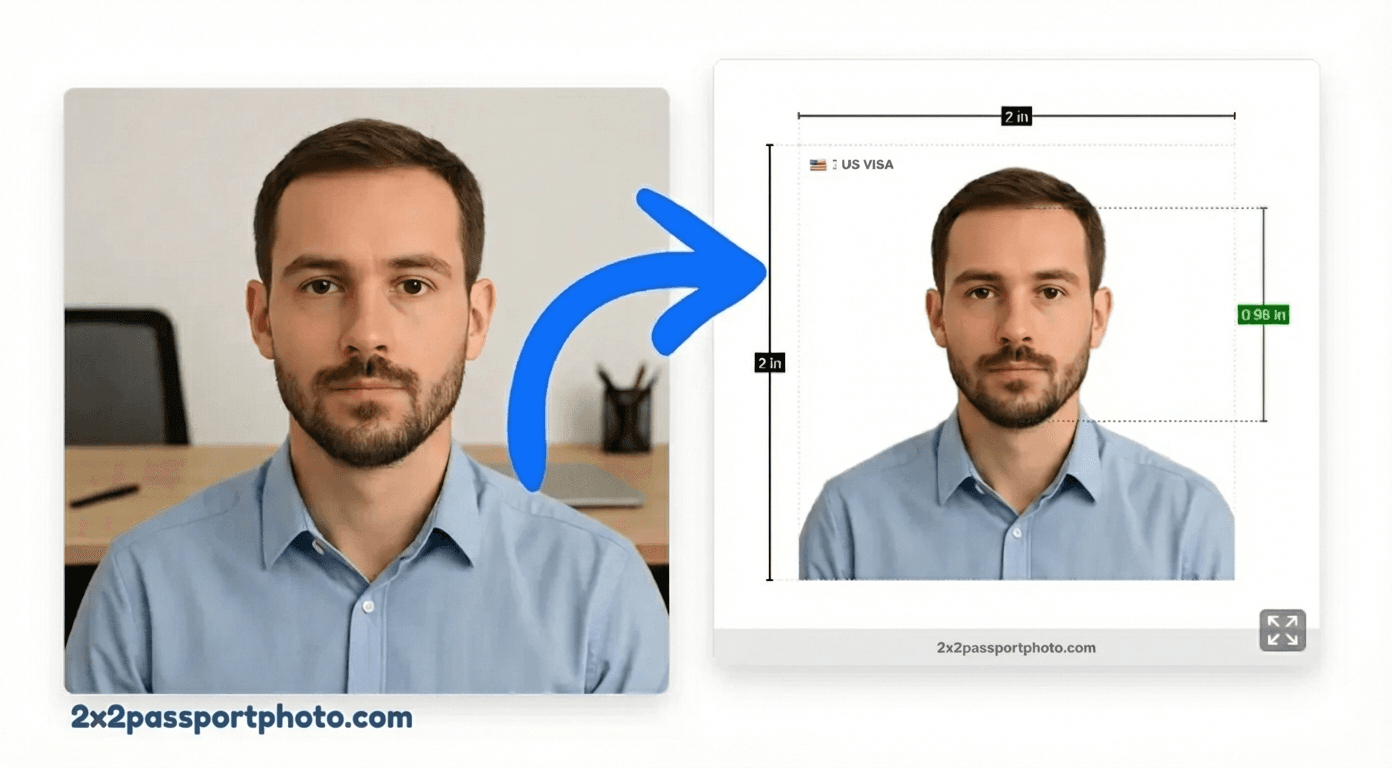
Official Photo Size
The photo must be exactly 2×2. This is a critical requirement—photos that don't match the exact dimensions will be rejected.
| Inches | 2×2 |
| Millimeters | 51×51 |
| Pixels (300 DPI) | 600×600 px |
Tip
Background & Lighting
Background: Plain white or light-colored. The background must be uniform with no shadows, patterns, or other people visible.
- No shadows on the background or your face
- No patterns, textures, or decorations
- No other people or objects visible
- Uniform color throughout
- Even lighting with no harsh shadows
Face & Head Size Rules
Head size: 1 to 1 3/8 inches (25-35mm) from chin to top of head. Your face must be positioned correctly in the frame.
- Face the camera directly (no tilting)
- Expression: Neutral expression (no smiling)
- Eyes open and clearly visible
- Head centered in the frame
- Shoulders visible in the photo
What You Can Wear (Glasses, Head Coverings)
Understanding what accessories and clothing are allowed:
- Glasses: Generally allowed if no glare
- Clothing: Regular clothing
- Head coverings are only allowed for religious purposes
- Head coverings must not cast shadows on your face
- Your face must be fully visible from bottom of chin to top of forehead
Photo Quality Requirements
High quality, sharp focus, 300 DPI
- Sharp focus with no blur
- High resolution (minimum 300 DPI for printing)
- No filters or digital alterations
- Color photo (no black and white)
- Recent photo (taken within last 6 months)
Common Rejection Reasons
Photos that don't meet these requirements will be rejected, delaying your application. Common issues specific to General general applications:
- Wrong photo size (not 2×2)
- Incorrect background (not plain white or light-colored)
- Wrong head size (not 1 to 1 3/8 inches (25-35mm) from chin to top of head)
- Poor photo quality (blurry or pixelated)
- Wrong expression (Neutral expression (no smiling))
- Shadows on face or background
- Photo too old (taken more than 6 months ago)
- Digital alterations or filters
- Wrong size
- Incorrect background
- Poor photo quality
- Wrong expression
Local Notes for General
- These are general guidelines when country-specific rules are not available
- Always check official requirements for your specific country
- When in doubt, use white background and neutral expression
Printing Tips for General
- Print at 300 DPI for professional quality
- Use photo paper, not regular printer paper
- Verify all requirements are met before printing
Create a General Passport Photo Online
Use our tool to create a compliant general photo. We'll automatically:
- Crop to exactly 2×2
- Fix background to plain white or light-colored
- Ensure proper head size (1 to 1 3/8 inches (25-35mm) from chin to top of head)
- Align face correctly
- Export at 300 DPI for print quality
Create Your Passport Photo
Upload your photo and we'll make it compliant with General requirements
Free preview • $9.99 one-time HD download
General Passport Photo Requirements FAQs
What are general passport photo requirements?
General requirements include 2×2 inch size, white background, neutral expression, and proper head size. However, always check your specific country's requirements.
Can I use general requirements for any country?
While many countries use similar requirements, some have specific rules (like Canada's rectangular format or Schengen's colored background). Always verify country-specific requirements.